
TDS FuelTAX Software
North America's Best Selling IFTA Fuel Tax Software. Super Fast , Super Easy and best of all Affordable. Download a Free Trial.
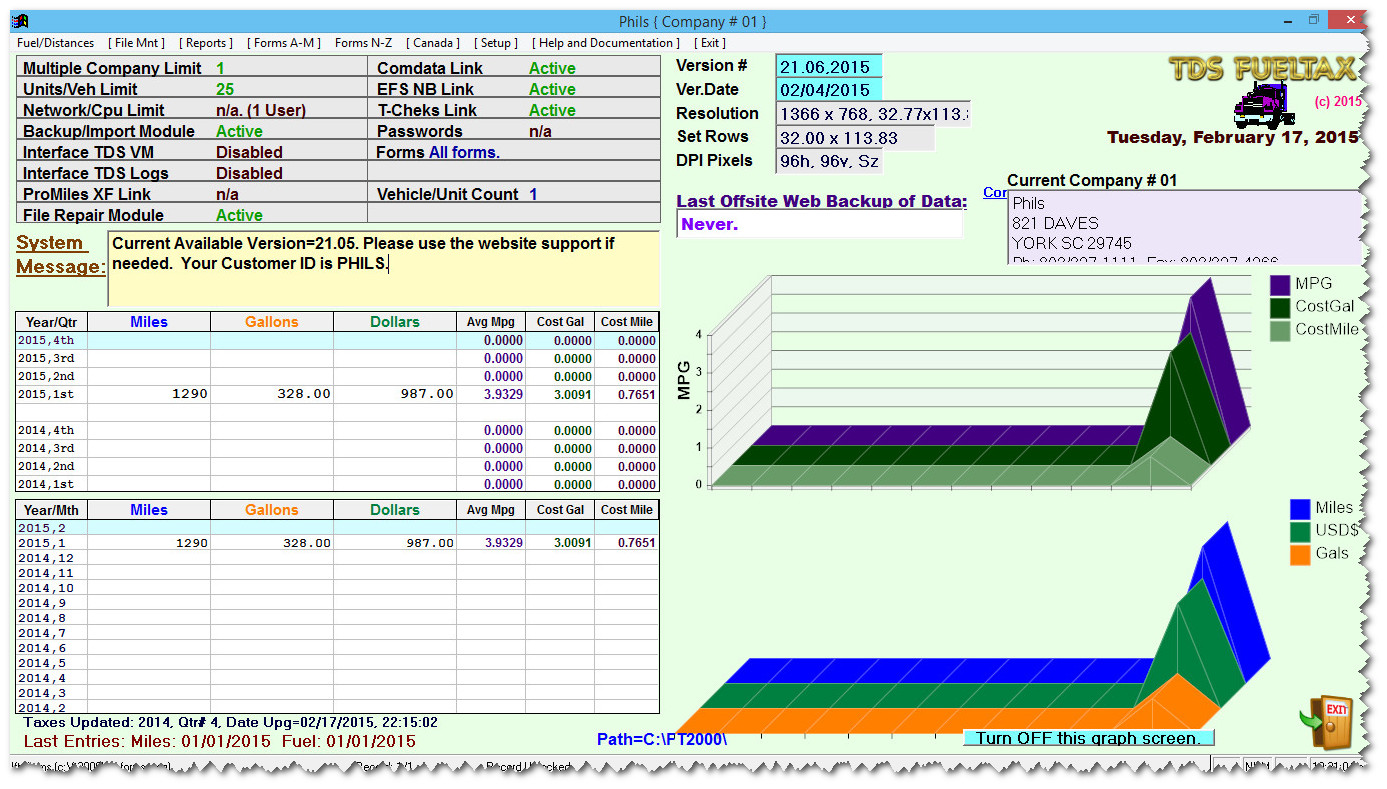
TDS FuelTAX is a fast, easy to use IFTA fueltax software program. Includes a smart, efficient designed main menu with simple to read screens. TDS FuelTAX has everything you need to get started. You will be working in minutes not hours with this program guaranteed!
TDS Fueltax Main Menu screen
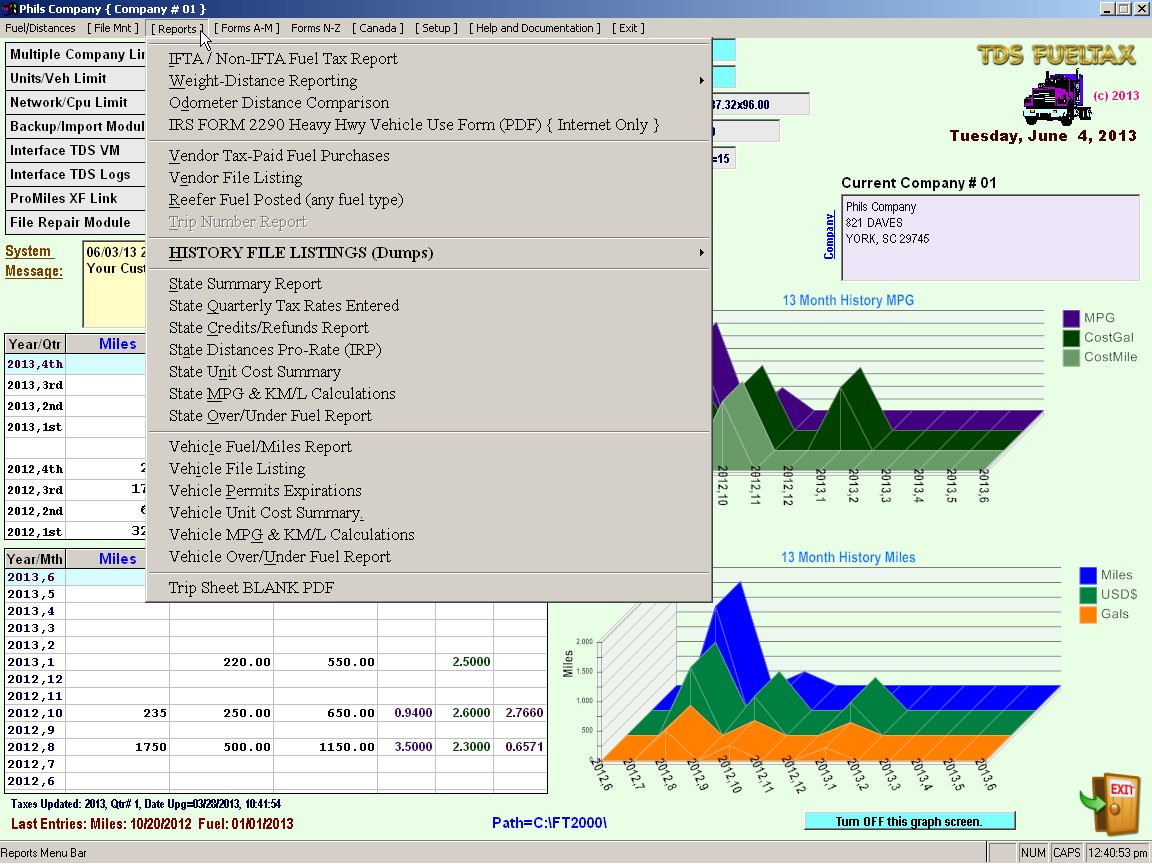
TDS Fueltax Reports screen
More than 20 reports to help you manage your IFTA tax.
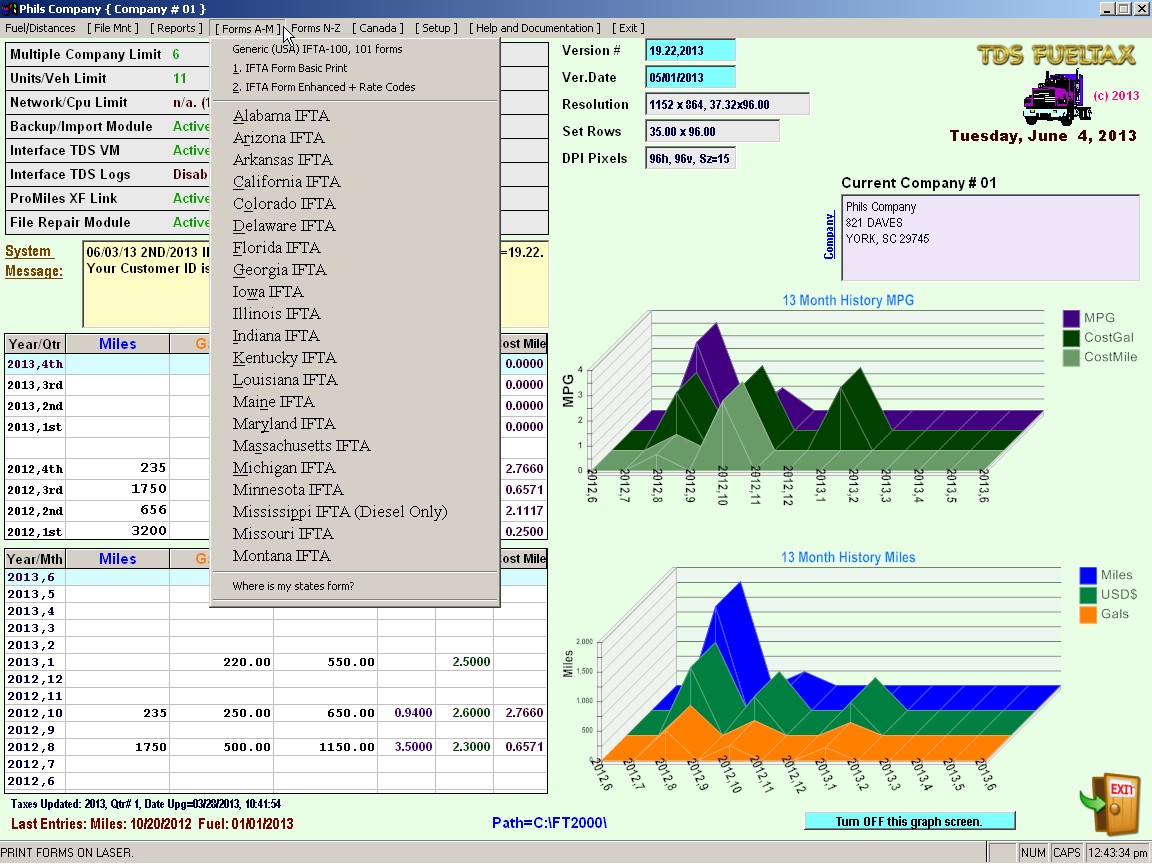
TDS Fueltax State Forms
Built in State approved forms. Just Print & Mail.
 TDS FuelTAX Features
IFTA
Fuel Tax Computations: Calculates fuel tickets and mileages entries
against the IFTA Tax rates to calculate your taxes.
Odometer
Distance Comparisons. Compare odometer reading against actual mileage
entries.
Weight
Distance Tax Report: Report for weight distance taxes filings.
Vendor-Tax
Paid Fuel Purchases: List of vendors where fuel was purchased and
tax paid.
Vendor
File Listing: List of all Vendors in the fuel tax software.
Reefer
Fuel Posted: List of all reefer fuel posted in fuel tax by the reefer
code 09.
Trip
Number Report: If you track your fuel tickets and miles by trip number,
you can print a report just by trip number.
History
File Listings: Obtain a complete list of all fuel tickets and mileages
by data range. Sort by any date, year or by quarter.
Vehicle
Unit Cost Summary: Detailed costing report by Vehicle/Truck.
State
Quarterly Tax Rates Entered: List of all tax rates by quarter.
State
Credits/Refund Report: List of all credits/refunds by state.
State Distances Pro-Rate (IRP): Summary report
of mileages by date by state.
State
Over/Under Fuel Report: Detailed Over/Under report that includes total
miles, gallons purchased, over/under gallons purchased. tax paid miles,
taxable miles, taxable gallons and over/under taxable gallons.
State
Summary Report: Print a report by state and by date range that includes
fuel purchases, mileages and by fuel type and vehicle code.
 All Windows Versions!